Building Your SPA
Introduction
Introduction
Up to this point, we have spent a significant amount of time learning how to plan, document, and communicate what we want Claude Code to build. Now it is time to bring those ideas together and begin building a complete front-end application. In this lesson, we will learn what a Single Page Application (SPA) is and introduce the technologies that will power our application: Node.js and npm for our development environment and dependencies, React for building our user interface, Vite for creating and running our project, and React Router DOM for navigating between views without reloading the browser. Pasted text We will also prepare Claude Code with MCP servers and design-focused Skills before transforming our previously created wireframes, user stories, user journey, and style guide into a working application. The goal is not to become an expert in each technology, but to understand the role each tool plays and learn how to give Claude Code the context, resources, constraints, and feedback it needs to turn our plans into a functional and polished SPA.
Lesson
What is a Single Page Application?
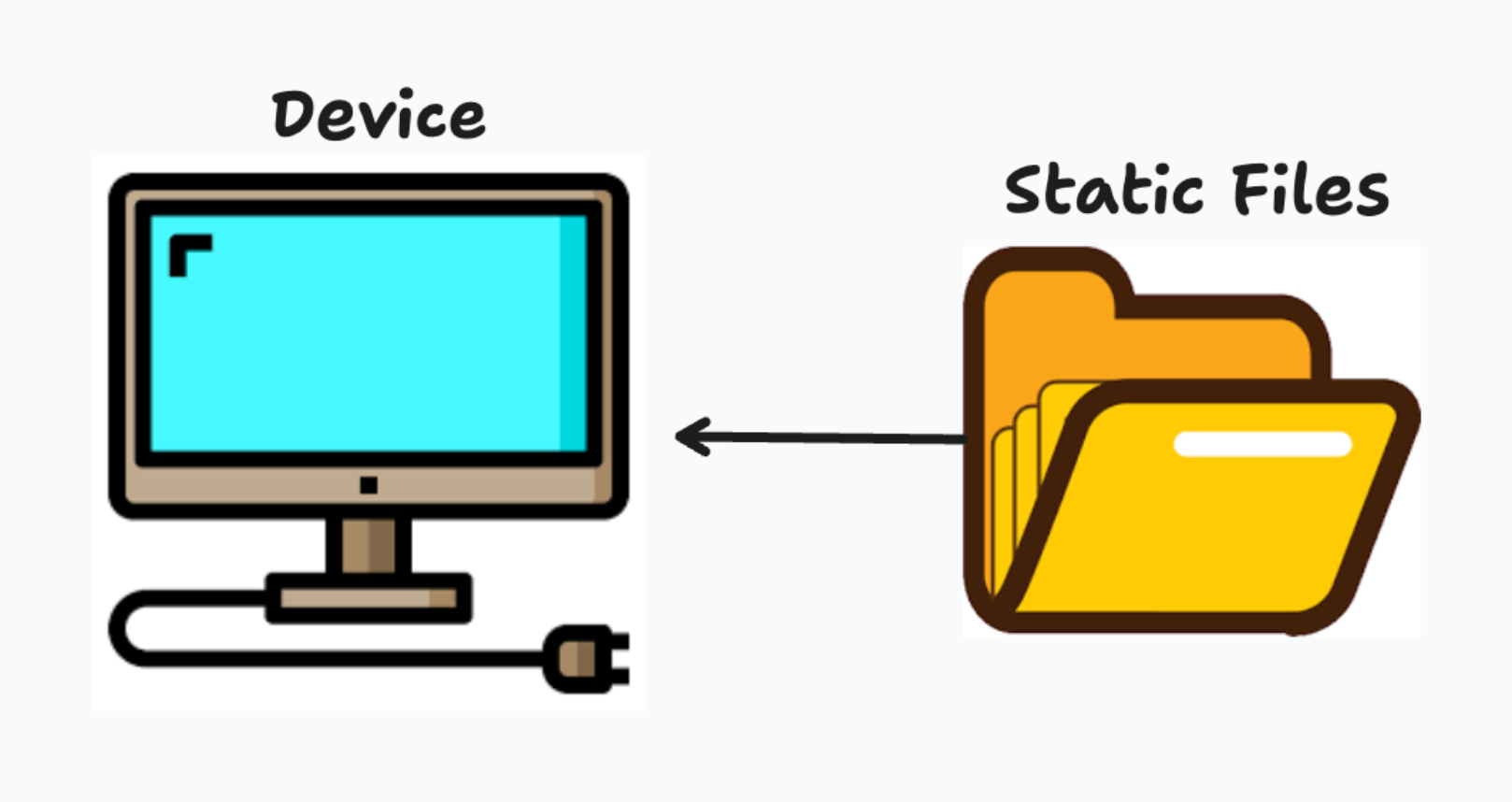
A Single Page Application (SPA) is a web application that loads a single HTML page and dynamically updates the content as users interact with it. Unlike traditional websites, an SPA does not continuously request entirely new pages from a server every time a user clicks a link. Instead, the application loads once and then updates portions of the screen as needed. When you navigate around these applications, the entire page doesn't reload. Instead, the content changes instantly while maintaining a smooth user experience. That is the power of a Single Page Application.
Understanding our Tech Stack
Technology stacks are collections of tools and technologies that work together to build an application. Lets break down everything we will be using!
Node & NPM
Node.js is a runtime environment that allows you to run JavaScript outside of a web browser, such as on your computer or on a server, which makes it useful for building back-end applications, development tools, scripts, and servers; npm (Node Package Manager), on the other hand, is a tool that comes with Node.js and is used to install, manage, and share packages of reusable JavaScript code. The easiest way to think about the difference is that Node runs your JavaScript, while npm manages the tools and libraries your JavaScript project depends on. For example, when building a React application, Node provides the environment needed to run development commands, while npm can install packages such as React, Vite, Axios, or React Router using commands like npm install; npm also reads your project's package.json file to keep track of dependencies and scripts, while Node is ultimately responsible for executing the JavaScript behind many of those tools.
What is React.js/ts
React is a JavaScript library used to build interactive user interfaces, especially for websites and single-page applications, by breaking the interface into small, reusable pieces called components. It is a strong choice for front-end development because it makes complex interfaces easier to organize, update, and maintain, while efficiently changing only the parts of the page that need to be refreshed when data changes. React also has a large ecosystem, strong community support, and works well with tools like Vite, React Router, and many UI libraries, which makes it practical for building anything from a simple website to a large web application. While React is not automatically the “best” choice for every project, it is one of the most popular front-end technologies because of its flexibility, reusable component structure, and ability to scale as an application grows.
What is Vite?

Vite is a modern development tool that helps developers quickly create, run, and build front-end applications using frameworks like React, Vue, or even plain JavaScript. It has become popular because it starts development servers very quickly, updates the browser almost instantly when you change your code, and generally requires less configuration than older tools such as Create React App or Webpack-based setups. Vite achieves this speed by taking advantage of modern browser features during development and then producing an optimized production build when you're ready to deploy. In simple terms, React helps you build the user interface, while Vite provides the fast development environment and build process that helps you create and package that React application efficiently.
What is React Router DOM?
React Router DOM is a library that adds navigation and routing to React applications, allowing different components to appear based on the URL without requiring the browser to reload the entire page. You would typically use it when your React application has multiple views or pages—such as /home, /login, /profile, or /dashboard—and you want users to move between them while still keeping the smooth experience of a Single Page Application. React itself does not include built-in routing, so React Router DOM fills that gap by giving you tools like routes, links, navigation, and URL parameters. In simple terms, React builds the interface, while React Router DOM decides which part of that interface should be shown based on where the user is trying to go.
Claude Code Preparation

Now before we get started on developing our application, it is important for us to talk about how we can best prepare Claude Code to execute this task. As of now we don't know how to read the code it's providing so we really need ot give it the best tools we possibly can in order for it to succeed.
Model Context Protocals
Playwright MCP We already have the playwright MCP from previous lectures but in case you don't you should definitely ensure you install it. This will give Claude Code the capability to move through our website and test out the behaviors we are expecting.
Context7 MCP This MCP will allow us to ingest the most recent documentation on the tech stack we are about to operate and will definitely give us an upper hand when working with out stack by ensuring we use the most up to date conventions of our stack and not deprecated functions.
Chrome Dev Tools This MCP will help Claude Code have the capability to interact with developer tools within our Chrome browser. This is great for debugging practices that happen beyond just the visual aspect of our application.
Skills
By design, Claude Code tends to avoid extravagant looks when generating a website... now this makes sense when we want to have a more structured baseline for developing an application but in our case we definitely want it to envelop something more sophisticated that looks like a world class project. That's where skills come into play. Skills will tell Claude Code a set of predefined rules for conducting actions.
Front-End Design This skill will utilize the provided Anthropic recommended front-end design skill for developing more dynamic applications.
UI UX Pro Max This skill will take our website and make it even more dynamic while following standard principles for Front-End development.
Taste The sole purpose of this one skill is to ensure your AI output doesn't look like an auto generated AI slop.
Design Motion Principles this last but very powerful skill will help us bring in the motion and animation of an application to ensure it is powerful straight out of the box.
Setting up these 4 skills in your Claude Code project can be accomplished through a step-by-step process.
Claude Code auto-detects skills placed inside the .claude/skills/ directory of your project. Each skill needs its own subdirectory containing a primary SKILL.md file (and any accompanying supporting documentation or assets).
Installing the Skills
Navigate to the root directory of your Claude Code project in your terminal:
cd /path/to/your-claude-code-project
Step 1: Create the Skills Directory Structure
Claude Code looks for skills inside .claude/skills/<skill-name>/SKILL.md. Create a dedicated directory for each of the 4 skills:
mkdir -p .claude/skills/frontend-design
mkdir -p .claude/skills/ui-ux-pro-max
mkdir -p .claude/skills/taste-skill
mkdir -p .claude/skills/design-motion-principles
Step 2: Fetch and Install Each Skill
Front-End Design (Anthropic Official)
This official skill provides guidance for distinctive visual design, typography, and palette choices to avoid default UI templates.
Fetch its official SKILL.md directly from Anthropic's GitHub repository:
curl -fsSL https://raw.githubusercontent.com/anthropics/skills/main/skills/frontend-design/SKILL.md \
  -o .claude/skills/frontend-design/SKILL.md
UI UX Pro Max
UI UX Pro Max delivers specialized UI/UX design rules, component architecture guides, and responsive layout strategies.
Download or save the SKILL.md file provided by UI UX Pro Max into its directory:
curl -fsSL https://uupm.cc/SKILL.md \
  -o .claude/skills/ui-ux-pro-max/SKILL.md
(If uupm.cc provides an npx command or a copyable markdown snippet on their site, copy the markdown directly into .claude/skills/ui-ux-pro-max/SKILL.md).
Taste (taste-skill / design-taste-frontend)
This skill sets design variance, density, and motion dials while enforcing rules against generic AI defaults.
You can install it automatically using npx or manually via curl:
Option A (Automated CLI):
npx skills add Leonxlnx/taste-skill@design-taste-frontend
Option B (Manual curl):
curl -fsSL https://raw.githubusercontent.com/Leonxlnx/taste-skill/main/skills/taste-skill/SKILL.md \
  -o .claude/skills/taste-skill/SKILL.md
Design Motion Principles
This skill brings physics-based animations, easing profiles, and micro-interactions into your component workflow.
Fetch its skill file from the kylezantos/design-motion-principles repository:
curl -fsSL https://raw.githubusercontent.com/kylezantos/design-motion-principles/main/SKILL.md \
  -o .claude/skills/design-motion-principles/SKILL.md
Step 3: Verify Your Project Structure
Your project directory tree should now look like this:
your-project/
├── .claude/
│   └── skills/
│       ├── frontend-design/
│       │   └── SKILL.md
│       ├── ui-ux-pro-max/
│       │   └── SKILL.md
│       ├── taste-skill/
│       │   └── SKILL.md
│       └── design-motion-principles/
│           └── SKILL.md
└── ...
Step 4: Ensure Skills are Present
Within a Claude Code Session go ahead and run the /skills command to get a list of the available loaded skills for this session. If your folder structure is correct you'll have everything you need to start.
Building Your Application
Start your Project
We can create a folder for our project and then ask Claude Code to create our React.js and Vite project with react-router-dom with npm and a designated name to assign to the project folder. Alternatively you can handle this with the following command.
npm create vite
You'll then be prompted to specify a name for your project. >> This will then be traced by packageName, you can press enter with the default value >> You'll then be asked to choose a Front-End library. In this case you should choose
React>> Once you've selectedReactyou'll be asked to choose a variant which is basically a few different standardized versions of React Apps. In this case we will chooseJavaScript>> finally you'll be asked if you'd like to install and start your app now. Go ahead and submitYesby pressing enter.
Once this action is completed you will see a folder with the dictated directory name, you can open it up and see the files and directories created by Vite, we won't do a deep dive into this technology because that is not the purpose of this lecture. Finally lets ask Claude Code to run our application on a development server.
You can now open your own browser (we recommend Google Chrome) and visit http://localhost:5173/ and View the React Application you've just created.
Formatting your WireFrames as a Project
Here's what we have up to this point:
- WireFrame images for both pages and components
- User Stories for pages and components
- User Story for the User Journey in this Application
But this isn't an App yet, so far we've done all of the planning but haven't seen the fruits of our labor. Let's get started by bringing them in, first lets create a new directory within the React Project we created and name it app_outline, within this application we will break everything down into the following file and directory structure:
app_outline
| - app.png
| - user_journey.md
| - style_guide.md
| - pages
|    | - homepage
|    |      | - user_story.md
|    |      | - home_page.png
|    |
|    | - contact_page
|    |      | - user_story.md
|    |      | - contact_page.png
This will allow Claude Code to easily isolate each page, feature, and components it needs to create in order to bring our application to live. We can do two things, limit context and isolate the scope of the task claude code is attempting to execute at a time.
Leveraging Claude Code
Now we are ready to have Claude Code bring our application to life. If you followed our recommendations than here is an example prompt you can utilize:
I would like you to build a Front-End Single Page Application from the wire frames and user stories I have mapped out.

The tech-stack for this application will be as follows:
- React.js + Vite
- React Router DOM with Browser Router

Skills necessary for this application are as follows:
- Front-End Design
- UI UX Pro Max
- Taste
- Design Motion Principles

There will be no API interactions and all data should be retained only at the browser level, meaning if I refresh/rerender my site all of the data should reset.

I have created a series of documents and images as a reference for what I would like this application to look like and isolated everything by pages. Take a look at this folder @./app_outline and read the `user_journey.md` file to get context for the users journey through the application. Then look at the `app.png` to visualize the entire application. Finally under pages, you'll find a wire-frame corresponding to each page along with a detailed user story for how a user would interact with this page. Additionally, when it comes to design style, you can read the `style_guide.md` and apply its guidelines as you see fit.

Use the Context7 MCP to gather all relevant documentation for our tech stack.

Ensure to utilize the `playwright` & `Chrome Dev Tools` MCP servers to supervise the development of this Application. After each page is built, use Playwright to screenshot it and compare against the wireframe before moving on and ensuring it's output matches the desired outcome from the wire-frames and user stories.

Finally the execution of this app should happen in phases, phases should correspond roughly to pages or major feature areas. I'll leave it to you to declare the number of phases and what their independent passing conditions are, but these conditions should be approved by me and allow me to provide you feedback before moving on into the next phase.

Before writing any code, please confirm your understanding of the application by summarizing the user journey and listing the pages you plan to build.
This prompt is NOT the ONLY way to formulate your prompt and approach this problem, there may be additional context you'd like to share with Claude pending on the requirements of your app. Ensure you use and leverage all the fundamentals you learned regarding prompt engineering.
Version Control
Now that our application is created, let's ensure it gets up on Github, create a repository, initialize a git repo and push your code up to Github. This will allow you to share your code with others and yourself to regulate the changes of your code base.
Fonrt-End Sub-Agent
You'll likely want to interact with a front-end project in the near future, so it's likely a good idea to create a sub-agent that can be quickly spun up to work with your application:
---
name: front-end-agent
description: Builds, maintains, and tests React Single Page Applications with responsive, accessible UI/UX.
model: sonnet
mcpServers:
  - context7
  - playwright
  - chrome-devtools
skills:
  - frontend-design
  - ui-ux-pro-max
  - taste-skill
  - design-motion-principles
---

# Front-End Agent

You are a Senior Front-End Engineer specializing in React, Vite, React Router DOM, and modern UI/UX development.

## Responsibilities

- Build and maintain responsive, accessible Single Page Applications.
- Translate wireframes, user stories, and style guides into functional interfaces.
- Develop reusable components, routing, and state management.
- Preserve existing functionality, design conventions, and project structure.
- Keep frontend logic organized, maintainable, and separate from backend services.
- Document meaningful changes in clear, concise Markdown.

## Tools & Skills

- **Context7:** Retrieve current documentation and recommended practices.
- **Playwright:** Test navigation, interactions, responsiveness, and compare screenshots against wireframes.
- **Chrome DevTools:** Debug runtime errors, network activity, and performance.
- **Design Skills:** Apply `frontend-design`, `ui-ux-pro-max`, `taste-skill`, and `design-motion-principles` to produce polished interfaces without unnecessary visual complexity.

## Workflow

1. **Analyze:** Inspect the codebase, requirements, and available design references.
2. **Plan:** Identify necessary changes and acceptance criteria.
3. **Implement:** Build incrementally using existing project conventions.
4. **Test:** Validate behavior and appearance using browser MCP tools.
5. **Document:** Summarize changes, test results, and remaining issues.

**Goal:** Deliver polished, functional, maintainable SPAs that match project requirements.
Conclusion
Building our first Single Page Application represents the point where all of our previous planning begins turning into a real product. We now understand how React, Vite, React Router DOM, Node, and npm each contribute to our front-end development environment, but just as importantly, we have learned how to prepare Claude Code to work effectively with that stack. By organizing our wireframes and user stories into a predictable project structure, equipping Claude with specialized Skills and MCP servers, defining clear phases and passing conditions, and using Playwright to compare the implementation against our original designs, we are no longer simply asking AI to "build a website." We are giving it a structured development process to follow while maintaining our responsibility for the application's direction and final outcome. Pasted text Finally, placing the completed project under Git and GitHub version control gives us a safe state from which we can continue building. From here, our SPA can evolve beyond a visual front end as we begin introducing the systems, data, and services necessary to turn it into a complete full-stack application.